
The Only Comprehensive and Customizable Macro Solution
More than just a Gaming Macro
Downloaded over 6 million times on SourceForge and rapidly growing!
More than just a Gaming Macro
Downloaded over 6 million times on SourceForge and rapidly growing!
If the app or game you’re trying to send keystrokes to is running with Administrator privileges, TGMacro won’t be able to interact with it using normal permissions. This is a security feature in Windows that prevents lower-privileged programs from controlling higher-privileged ones.
As a result, TGMacro may fail to send keystrokes or appear not to work at all.
To solve this, simply run TGMacro as Administrator as well. This ensures both programs have the same permission level, allowing TGMacro to send keystrokes without any issues.
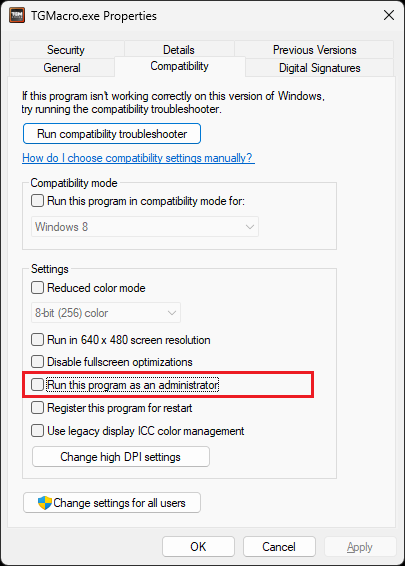
Now TGMacro will always start with admin rights.